Find businesses
Location, radius, sector, filters and result depth.
Find businesses by region and sector, organise prospects into lists, enrich data, validate contact channels and export opportunities into your sales workflow.
Registration opens the Explorador application. The screenshot below shows its Portuguese interface.
List ready for enrichment, WhatsApp checks and CSV export.
Bring together a workflow otherwise scattered across maps, spreadsheets, loose notes and manual checks.
Location, radius, sector, filters and result depth.
Map, list, details, visual signals and businesses already worked on.
Campaigns, clients, regions, sectors or sales priorities.
Website, email addresses, phone numbers, social profiles and WhatsApp validation.
CSV for your CRM, spreadsheets or internal processes.
A search starts with a location. On this screen, the team chooses an area on the map and a radius to explore before continuing.
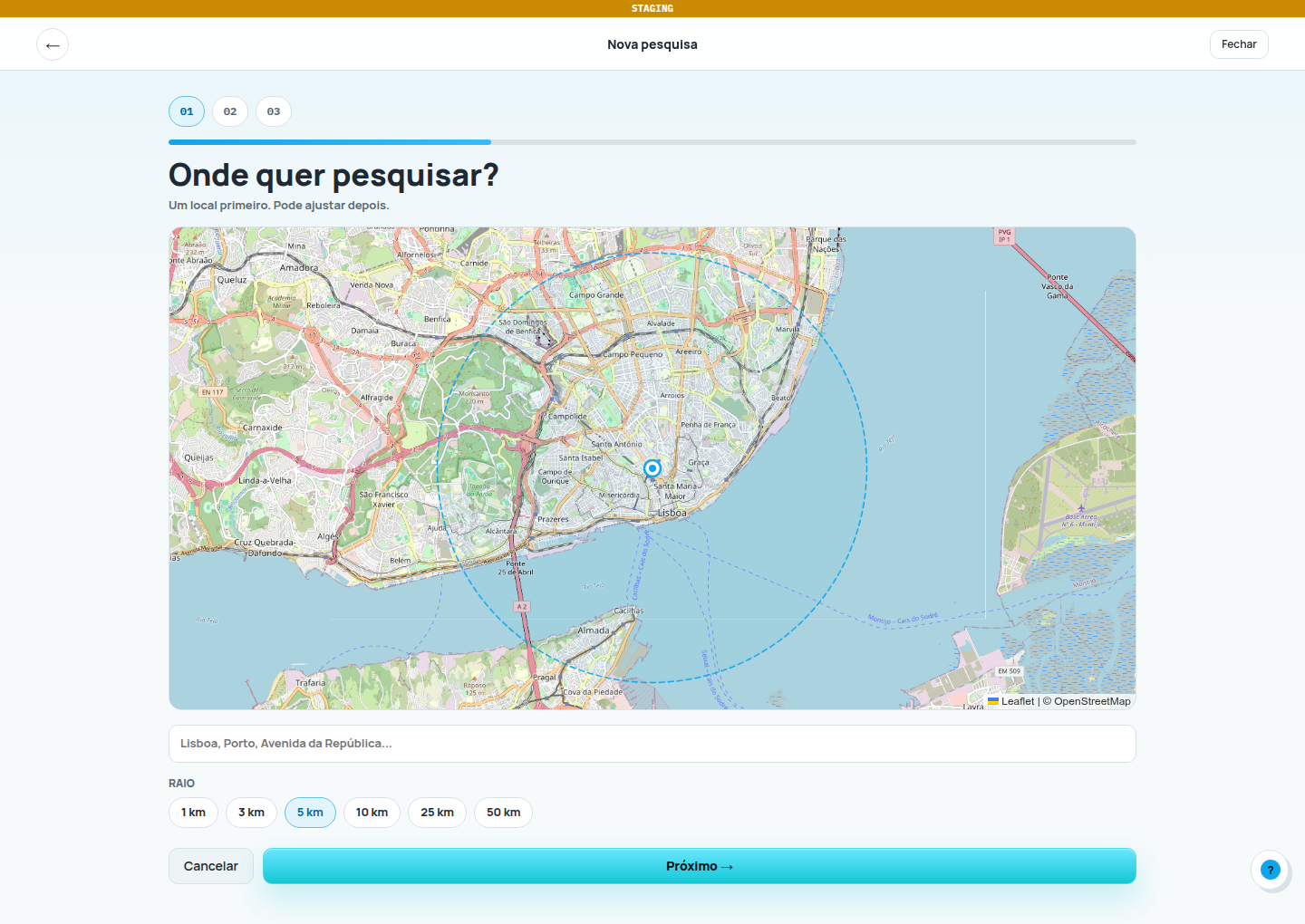
Captured on . Portuguese product interface in a staging environment, using a test account. The current version may differ.
Open full-size screenshot (new tab)Search by keyword and filter by business type, price, open now, relevance, proximity and number of results.
Create lists, add prospects from searches, websites or manually, avoid duplicates and track their status.
Update business details, address, phone number, website, opening hours, photos and useful qualification signals.
Scan websites for email addresses, phone numbers and social profiles, and check whether a number can be prioritised for WhatsApp contact.
Export CSV files, track their status, retrieve recent exports and move data to your CRM or spreadsheets.
Dashboard, credits, additional capacity, team members, company roles and authorised integrations with the Makers ecosystem.
Explorador Comercial brings together a workflow usually spread across maps, spreadsheets, loose notes, company websites and manual checks.
Start with a clear search goal and choose capacity that fits your team’s workload.
Create an account, choose the Free plan to get started at no cost and complete your company profile. Decide on the city, sector and type of customer you want to find in your first search.
Searches, enrichment, website analysis, WhatsApp checks and exports each have their own usage counters. Check usage and remaining balances in your account; your plan also sets list and team capacity.
Select businesses relevant to your offer, check the available information and save them to a list. Finding a phone number or email address helps you prepare; your team still decides which channel to use and when to reach out.
Request a list export and download the file when it is ready. To move it into a CRM, use that system’s CSV import and check the field mapping.
Prices and included allowances are listed in the current Explorador catalogue. If you need to align team size, volume or integration with other systems, tell us about your situation.
Discuss my requirementsStart with the Free plan to try searching and organise your first lists. Check the current limits, features and terms of each plan on the Explorador website.
Visit the Explorador websiteDiscover, organise and qualify local prospects.
Coordinate tasks, agents and sales workflows.
Continue the conversation through messaging channels.
Build bespoke integrations and systems around your operation.
Organise social interactions into sales opportunities.
It does more than that. It helps you find, organise, enrich, validate and export prospects as part of your sales workflow.
Yes. There is a Free plan so you can try the product. Check the limits and included features on the Explorador website before choosing a plan.
No. Explorador uses public information and available signals. Check a business’s details and contact channels before reaching out.
Agencies, B2B sales teams, estate agencies, clinics, training providers, automotive businesses and companies selling to local businesses.
Yes. You can request a list export, track its status and download the CSV when it is ready. Exports depend on the capacity available in your account.
The CSV file lets you continue working in your existing system. Importing and mapping fields happens in the destination CRM. An automatic connection between systems requires a separate integration assessment.
Check usage for each feature in your account. The product offers plans and additional credit packs for certain actions; review the available options and terms before buying more capacity.
Yes. WhatsApp validation helps you assess whether a phone number can be prioritised as a contact channel.
Yes. The website scanning feature looks for contact details, social profiles and relevant sales signals.
Yes. The company administrator can invite members and manage their roles, within the number of users included in the plan. Check the capacity your team needs before choosing.
Create an account, find businesses by region and sector, organise prospects into lists and reach out with more context.